A course's worth of PDFs,
on one plane.
Stook is a library for the pile of PDFs a course throws at you, and a notebook for what you make of them. Both live in the same place, in the same folders.
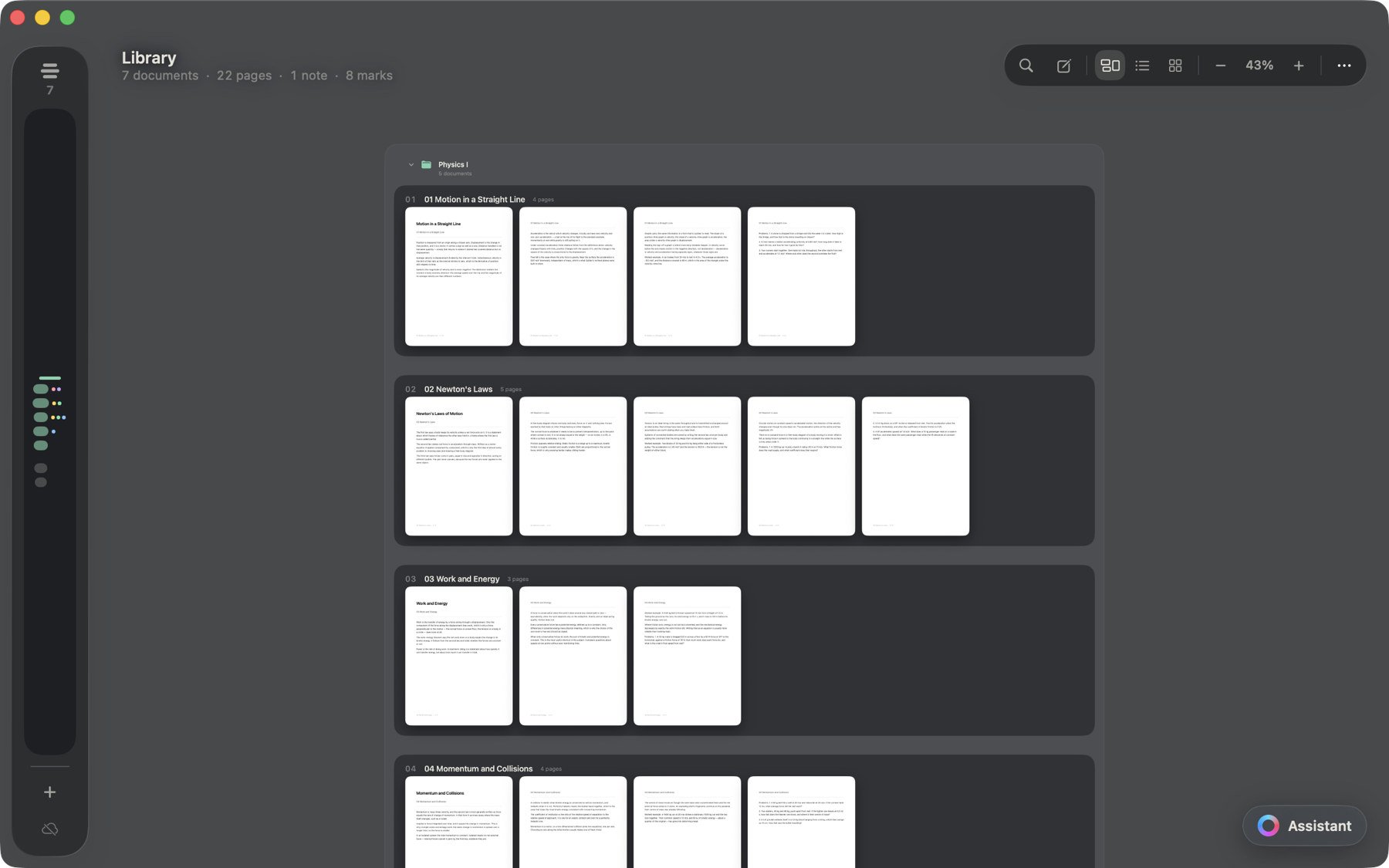
One library
PDFs and notebooks, side by side
Drop in PDFs, images, or an entire folder. Stook copies each file into its own library, so closing the app — or deleting the originals — costs you nothing.
A note is a document like any other. It files into the same folder as the lectures it is about, moves the same way, and shows up in the same search. Nothing lives in a separate tab.
Read and mark
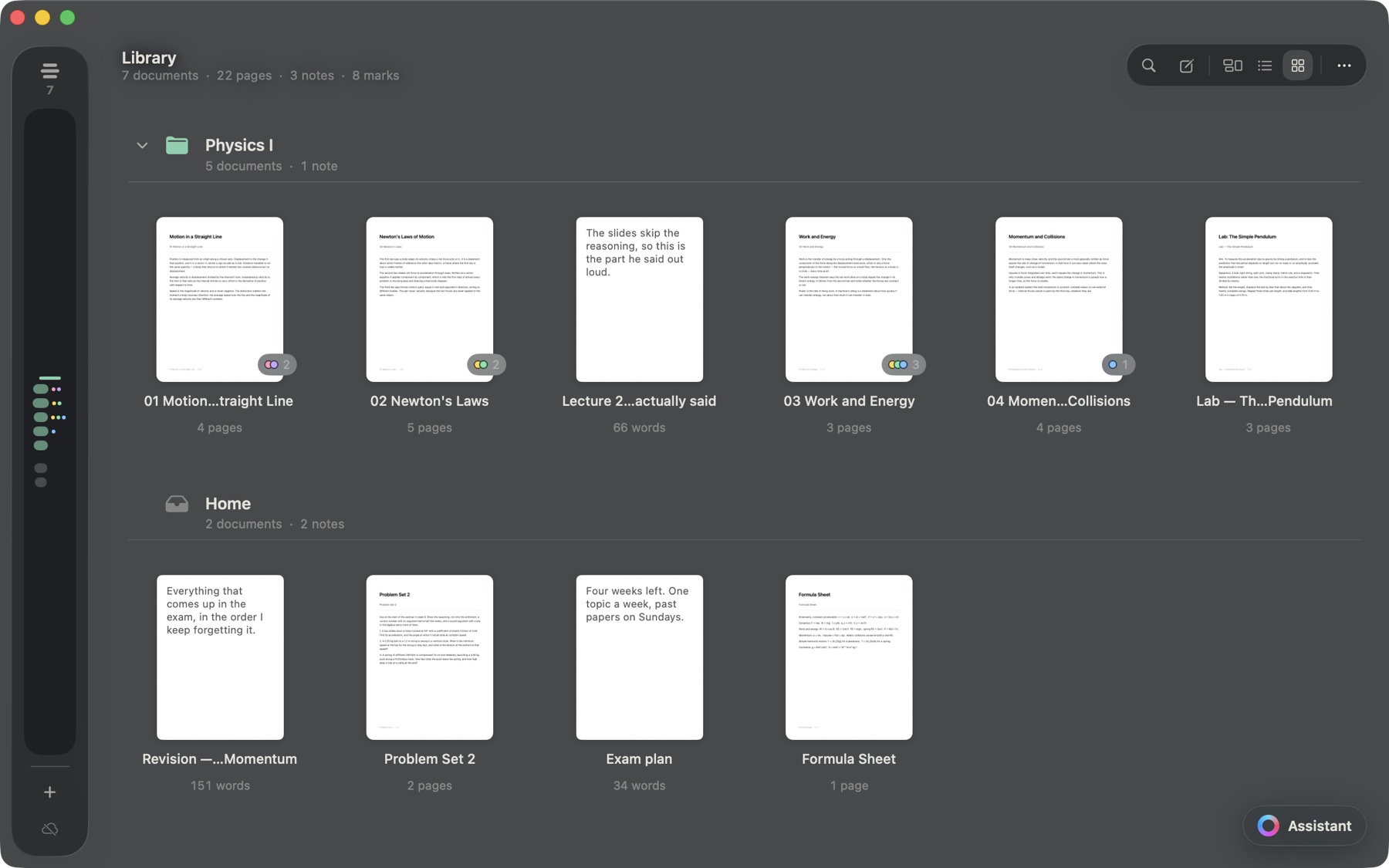
Highlights that stay with the page
Open a document and read it a page at a time, with the rest of the library one keystroke away. Highlight and underline in five colours.
Every mark keeps the sentence it covers, so the marks panel reads as a list of passages — not a list of coordinates you have to go and decode.
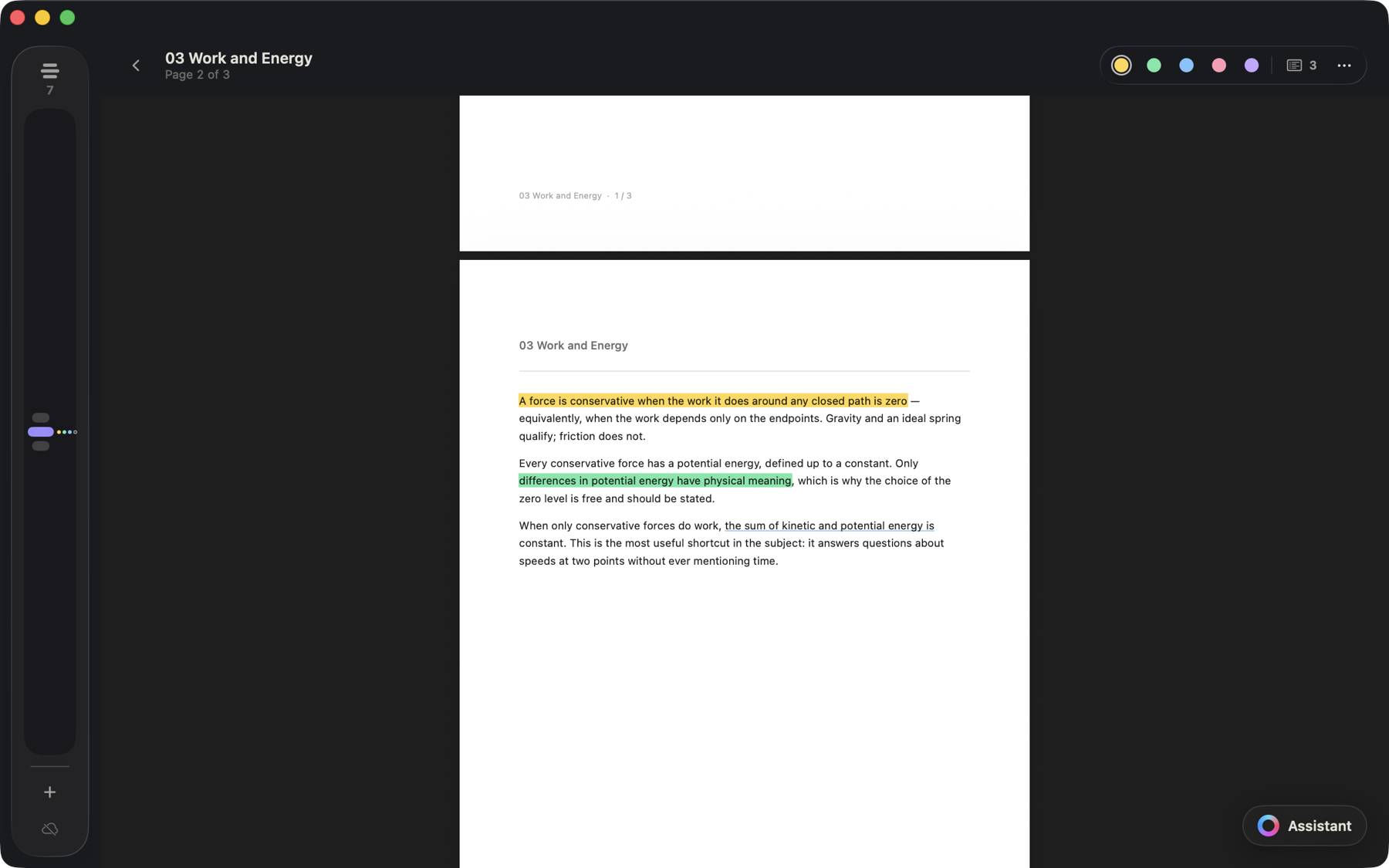
Notebooks
A real editor, not a scratchpad
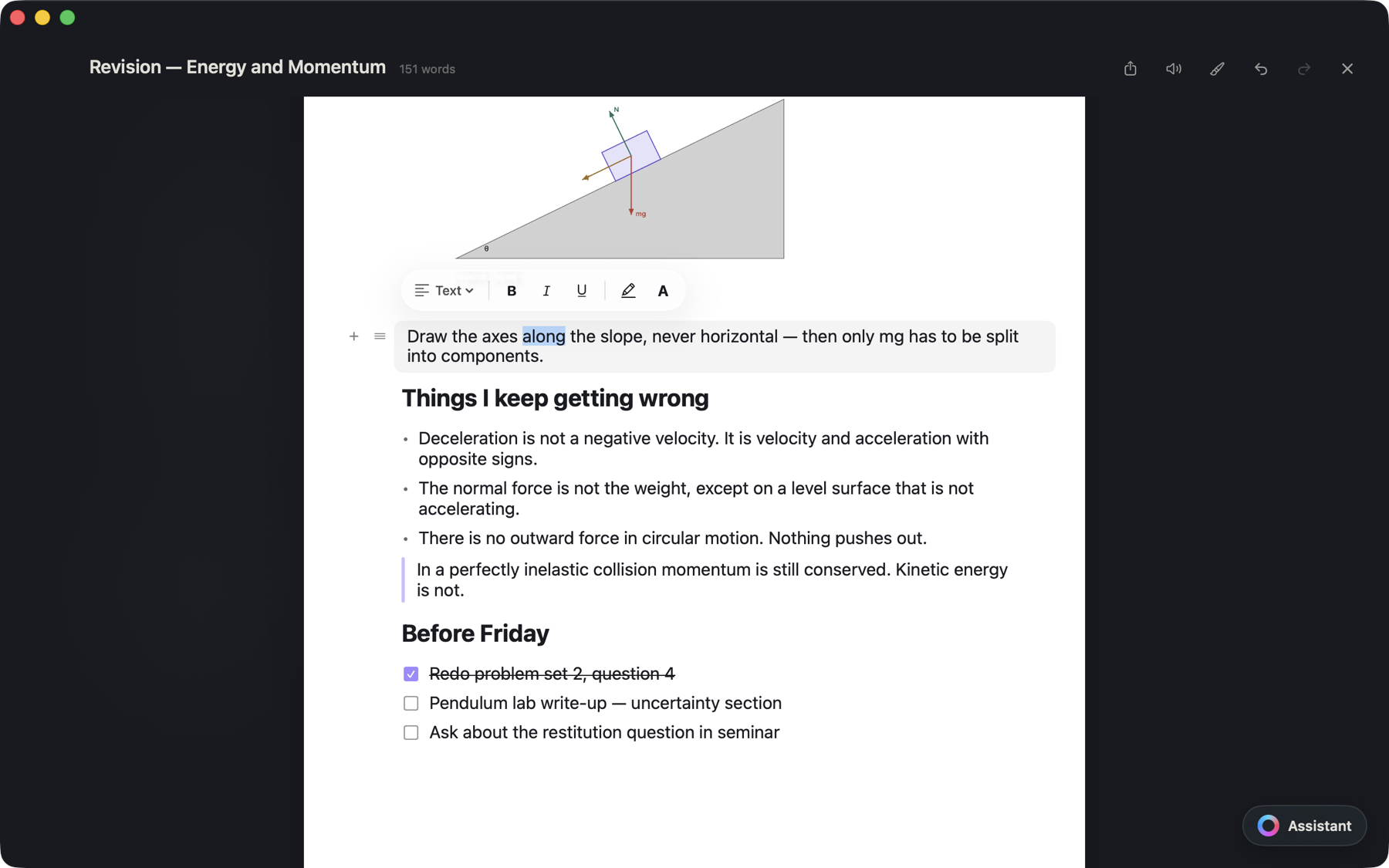
Headings, bullets, numbered lists, checkboxes, quotes, callouts, code, tables, and images you paste straight in. Type / for the block you want.
Your PDFs stay exactly as they were. A note is something you wrote — never an edit to the page.
Assistant
Ask your own library
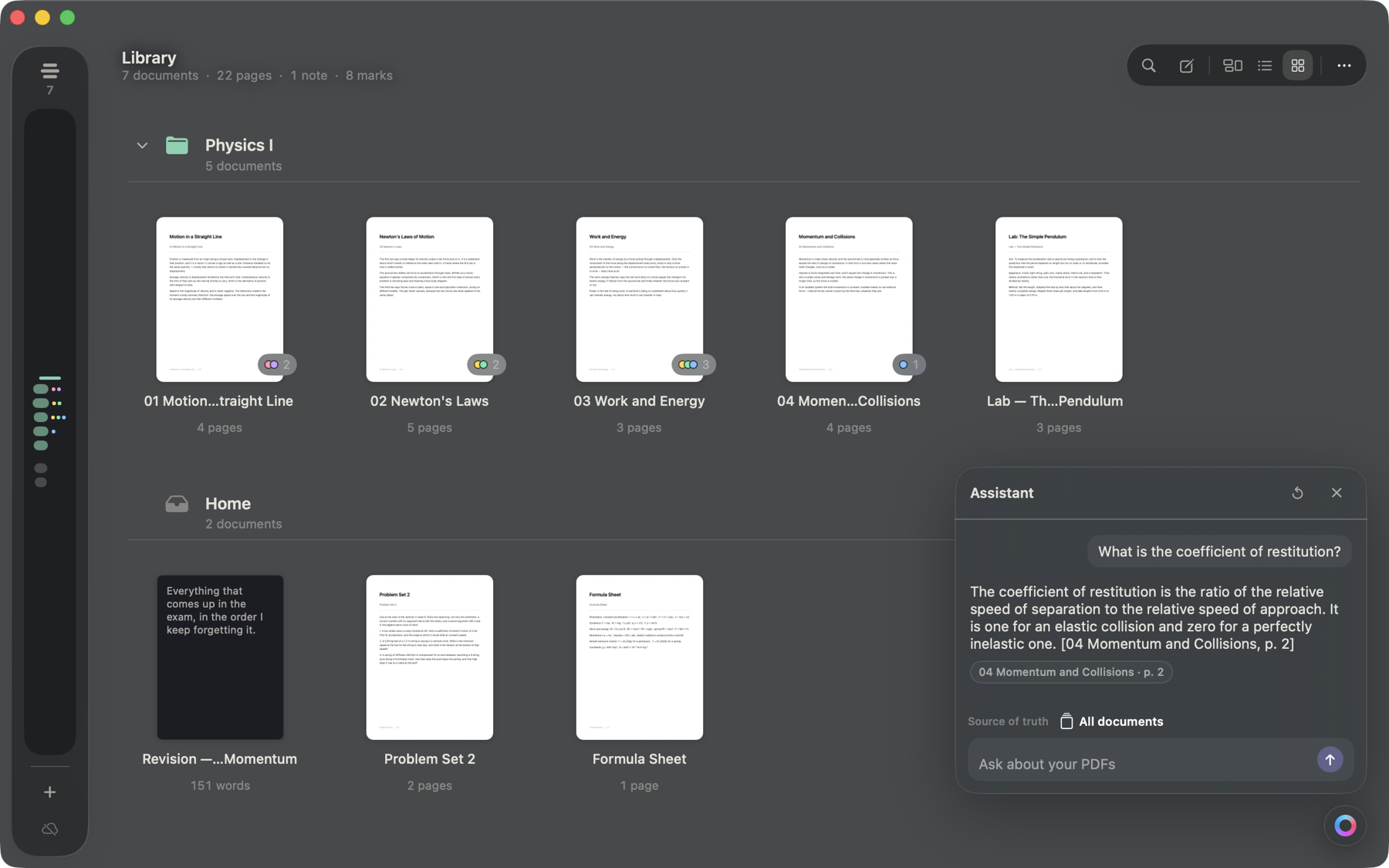
The assistant answers from the documents you imported and nothing else, and every answer names the page it came from — so you can go and read it yourself.
It runs on your Mac, on Apple's on-device model. Your library is not uploaded anywhere to be answered.
Search
Find the passage, not the filename
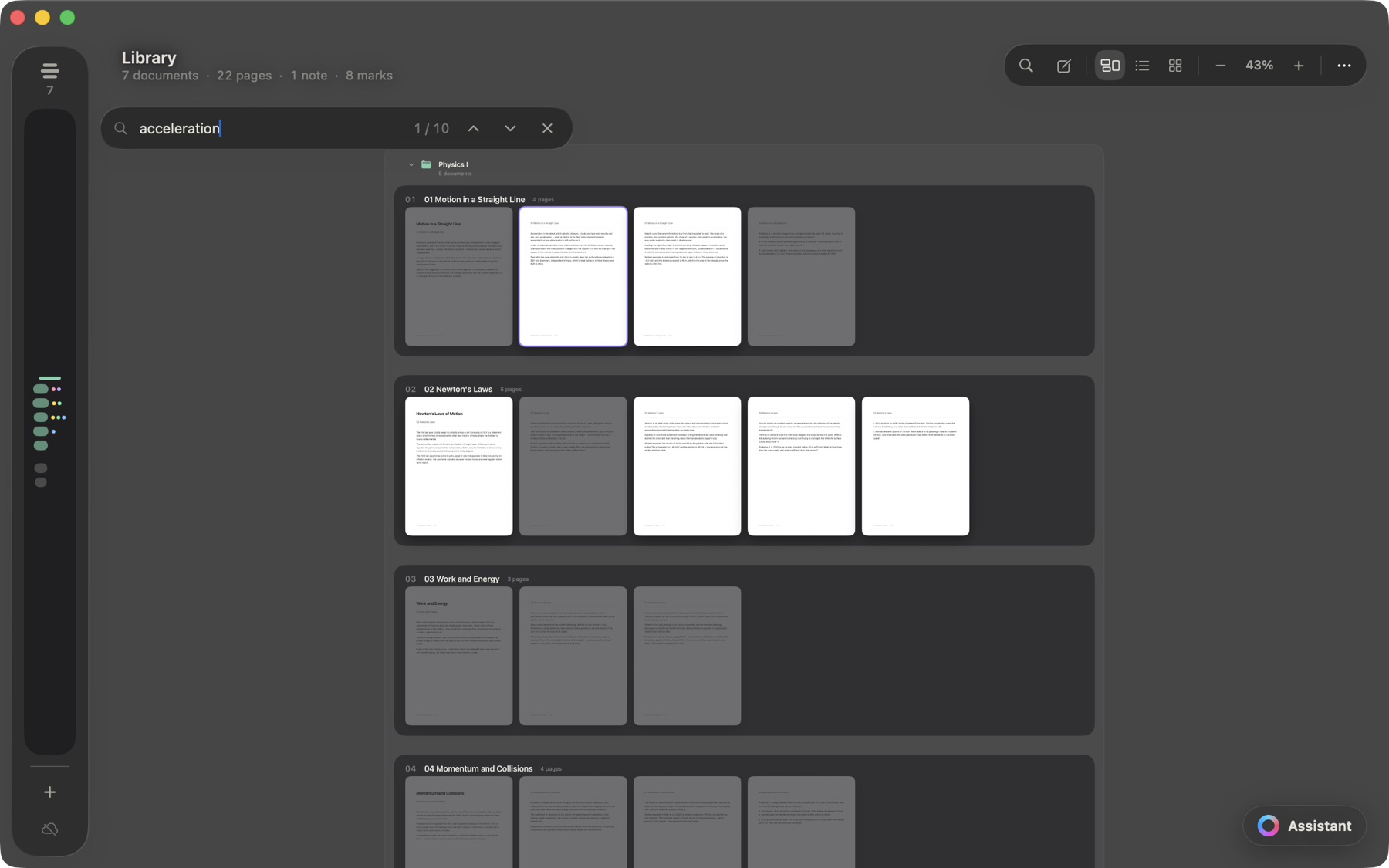
Stook indexes the text in everything you import, and reads scanned pages with OCR when there is no text layer.
Search dims the library and lights up the pages that match, wherever they are.
Three views of one library
The canvas is what opens, but the same library is also a list and a grid of covers. They are views, not copies — collapse a folder in one and it is collapsed in the others.
Selection that behaves like the Mac
Click, Shift-click, Command-click, Command-A — on the canvas as well as in the list and the grid, since it is one selection shared by the three.
iCloud
Your library lives in Stook's own iCloud container, so every Mac signed into the same Apple Account opens the same library, with the same folders in the same places.
One place for what you read and what you write.
Stook is a one-time purchase for macOS. No subscription, and no account to create.